To proceed with the installation, we will fill in the following fields. In the “App URL” field, enter the base URL where you installed your app. The “Database Host” and “Port” can be left as default.

Creating the Database #
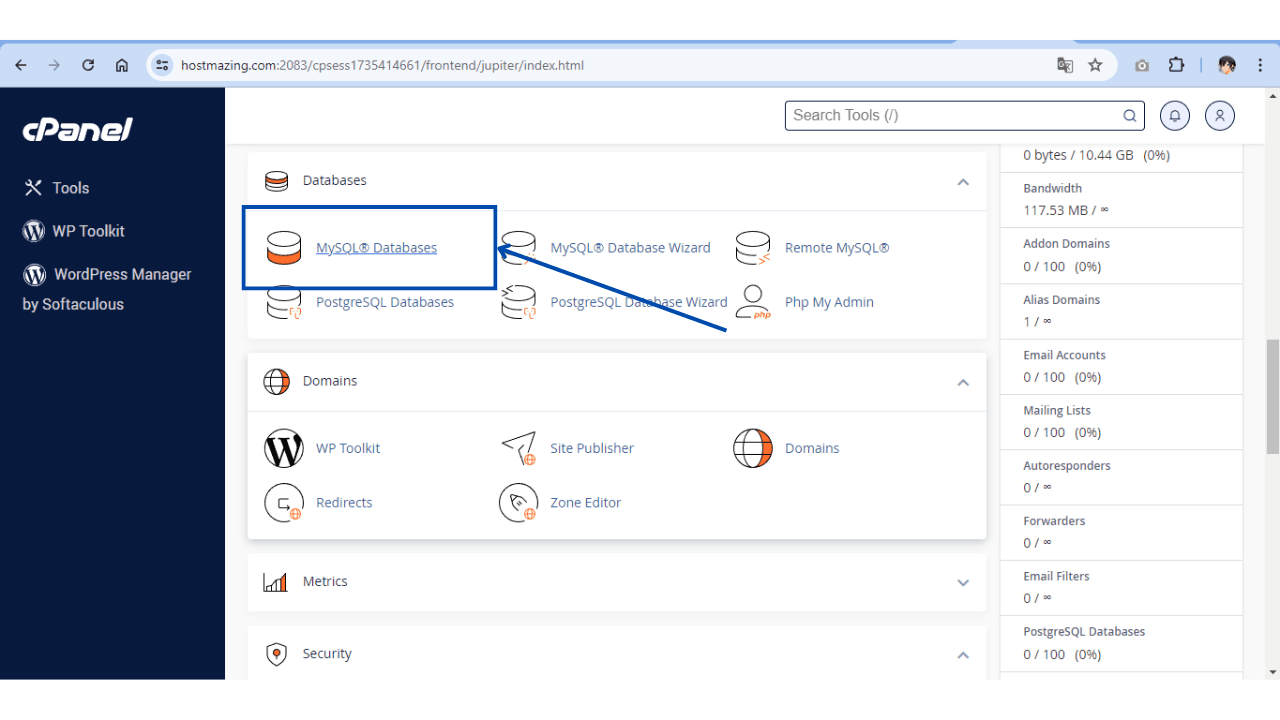
Head over to your cPanel and find the “MySQL Databases” section. Here, you can enter the name of your new database and create it.
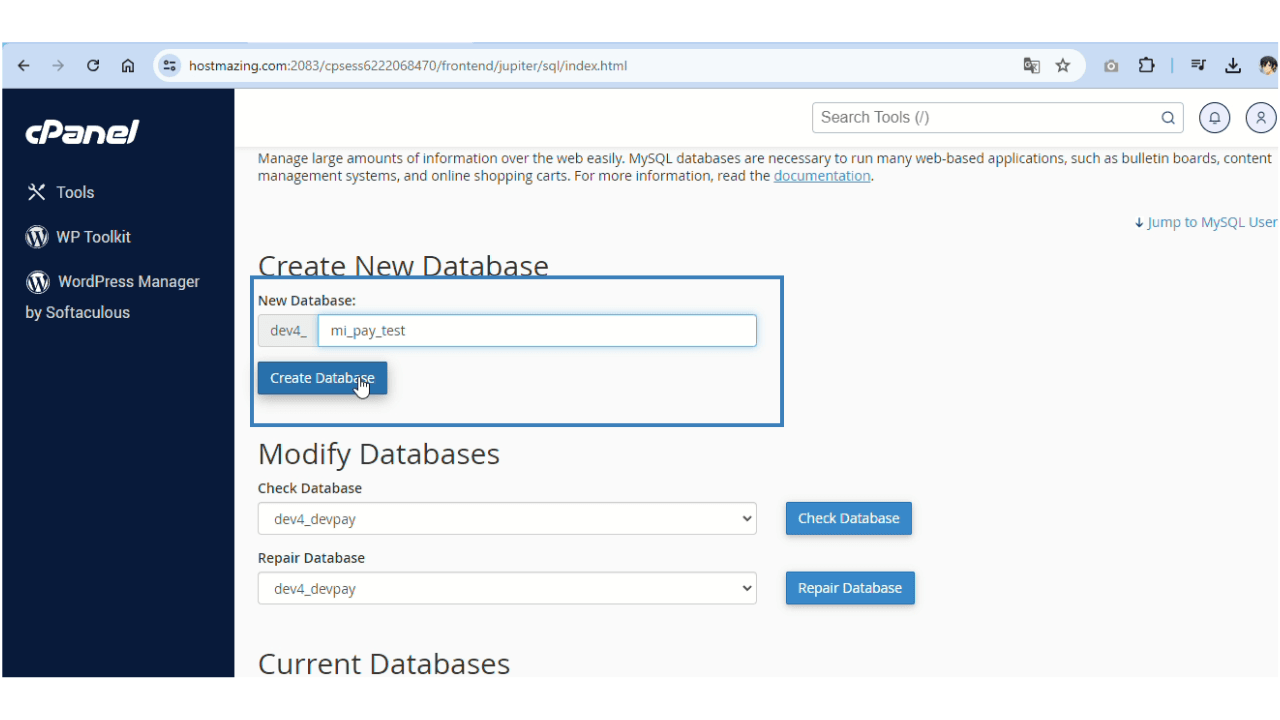
You’ll see it created here, but we need to assign any user yet.
Assigning User Permissions #
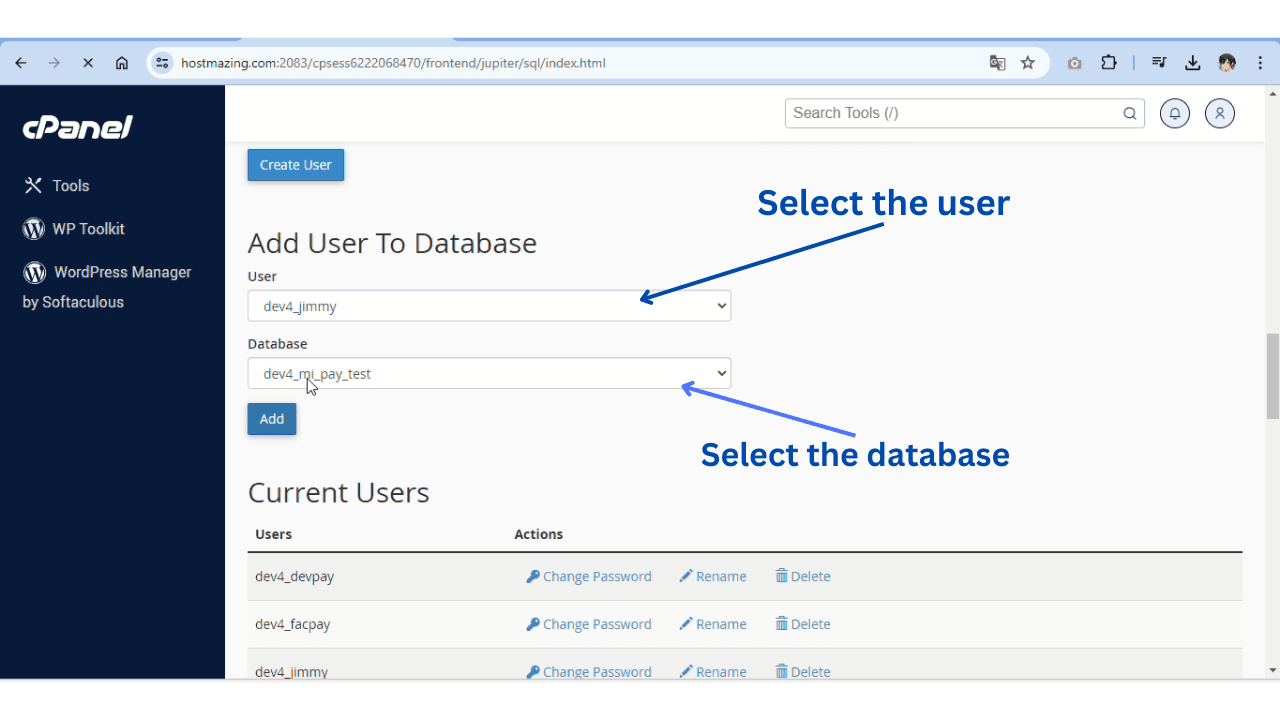
I’ll use a previously created user, but you can create yours here-
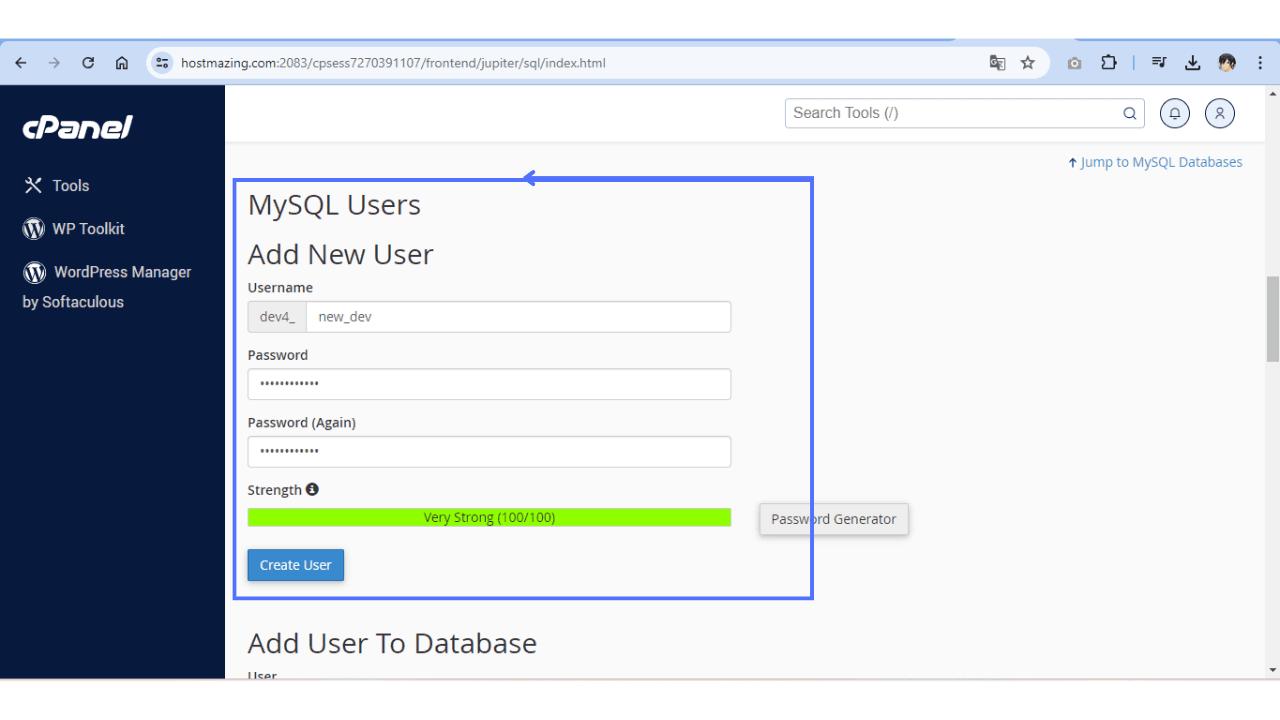
Assign all permissions to this user for our new database and save.
Install #
After completing the fields, click “Install.”

Check the installation #
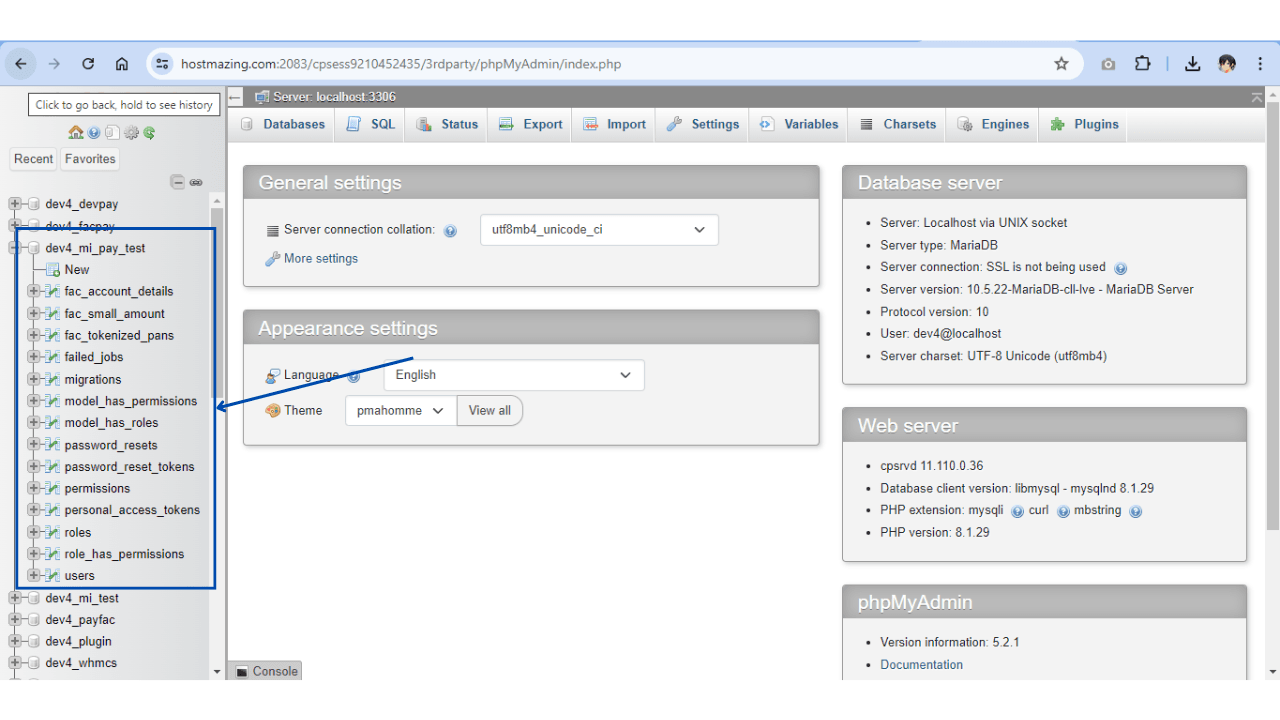
1. Go to phpmyadmin in your Cpanel
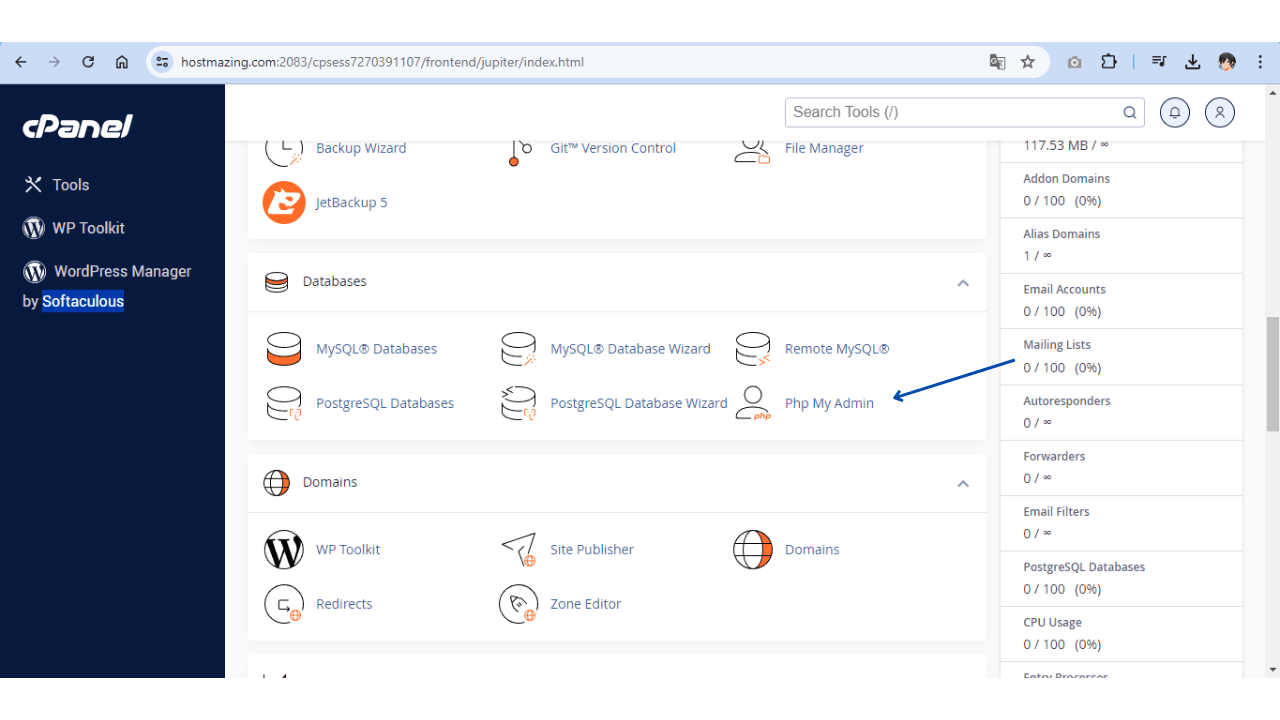
2. We will verify that the migrations have been carried out in our database