

Table of Contents
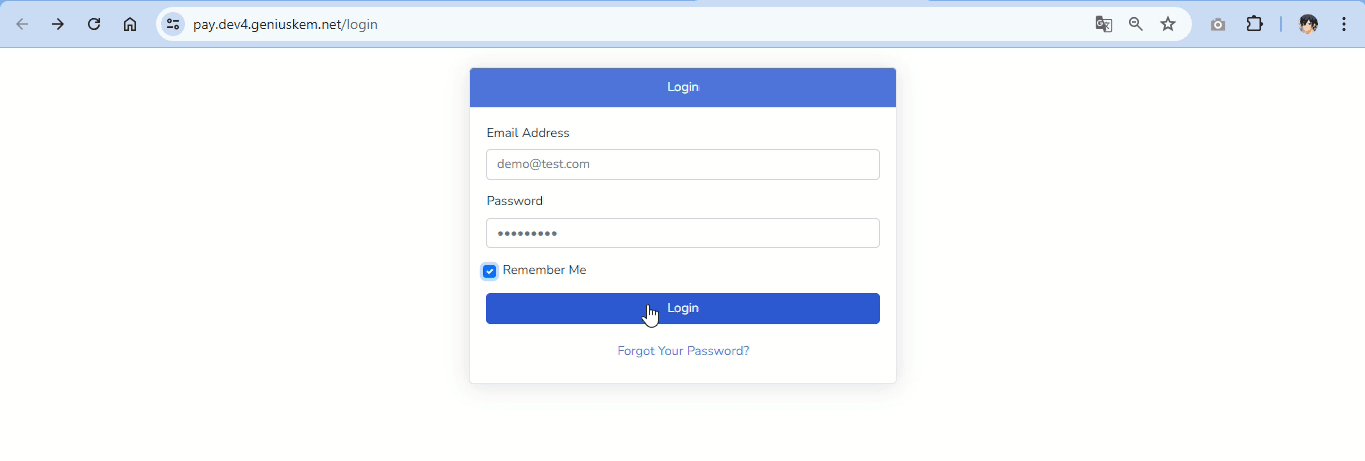
Default Login Credentials #
Use the following default credentials to log in (you can easily change them later)
- username: [email protected]
- password: 123456789
General Configuration #

Card Types and Merchant Account Details
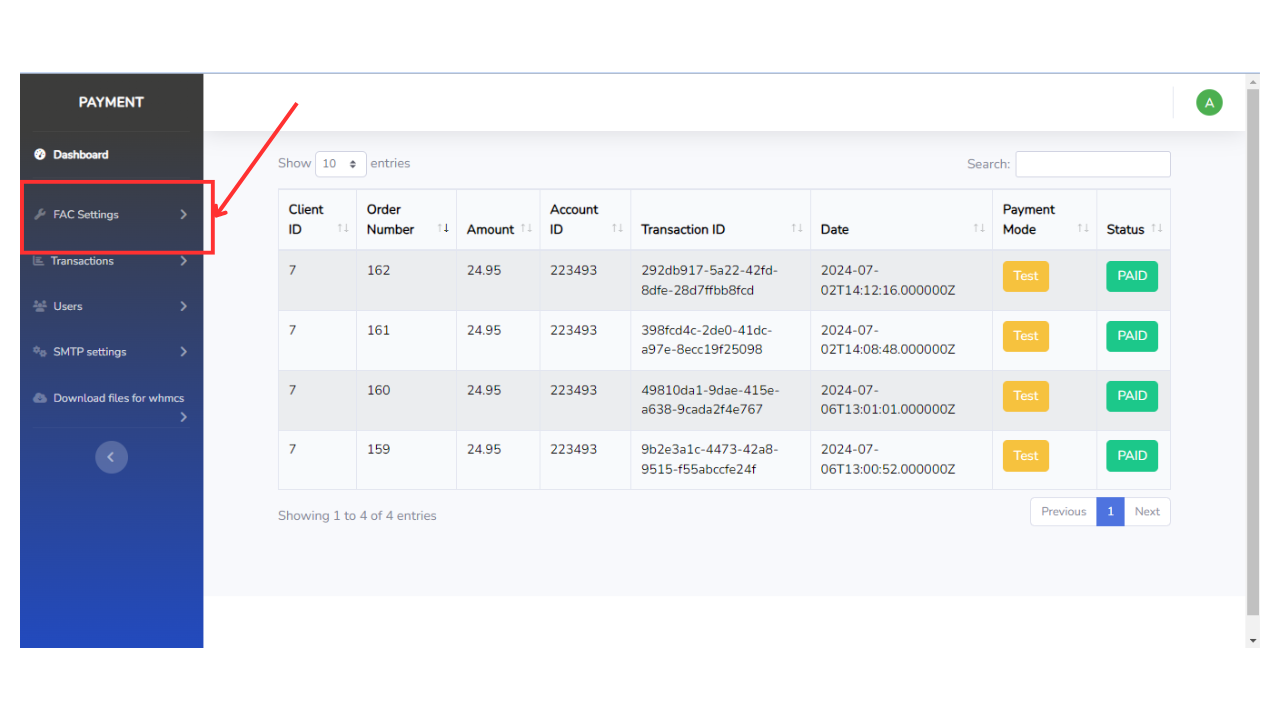
Let’s move on to the general configuration for the module. Here’s what you need to do:
- Select Card Types: Choose the types of cards that your account supports. This ensures that only those card types will be processed through the module.
- Enter Merchant Account Details: Input the details provided by First Atlantic Commerce. These details are crucial for linking the module with your merchant account.
Adding a Logo
You can also personalize your payment page by adding a logo. This helps to maintain brand consistency and reassure your customers that they are making a payment to the correct business.
Transactions #
Once you’ve set up everything, you can monitor all transactions made through this module. Initially, this section will be empty, but it will start populating as transactions occur.
User Data #
If you need to manage the user, such as changing login credentials or personal information or creating a new user, you can do it in this section.


